
How to get answers for Brainly
Quizit unlocks Brainly solutions without ads or paywalls. Paste the question link on the Brainly service page; answers come back fast.
What you need
- A Brainly question URL from a supported domain
- The Quizit Brainly page open in your browser
How to use Brainly on Quizit
- Open the Brainly question in your browser and copy its link
- Go to quizit.online/services/brainly
- Paste the link and submit
- Wait for the solution to load (usually near-instant)
Note: The tool is built for speed. Most requests return the unlocked answer almost immediately.
What the result looks like
After a successful fetch, Quizit shows the full solution for that question: the answer text unlocked, without the video ads or view limits Brainly normally puts in front of it.
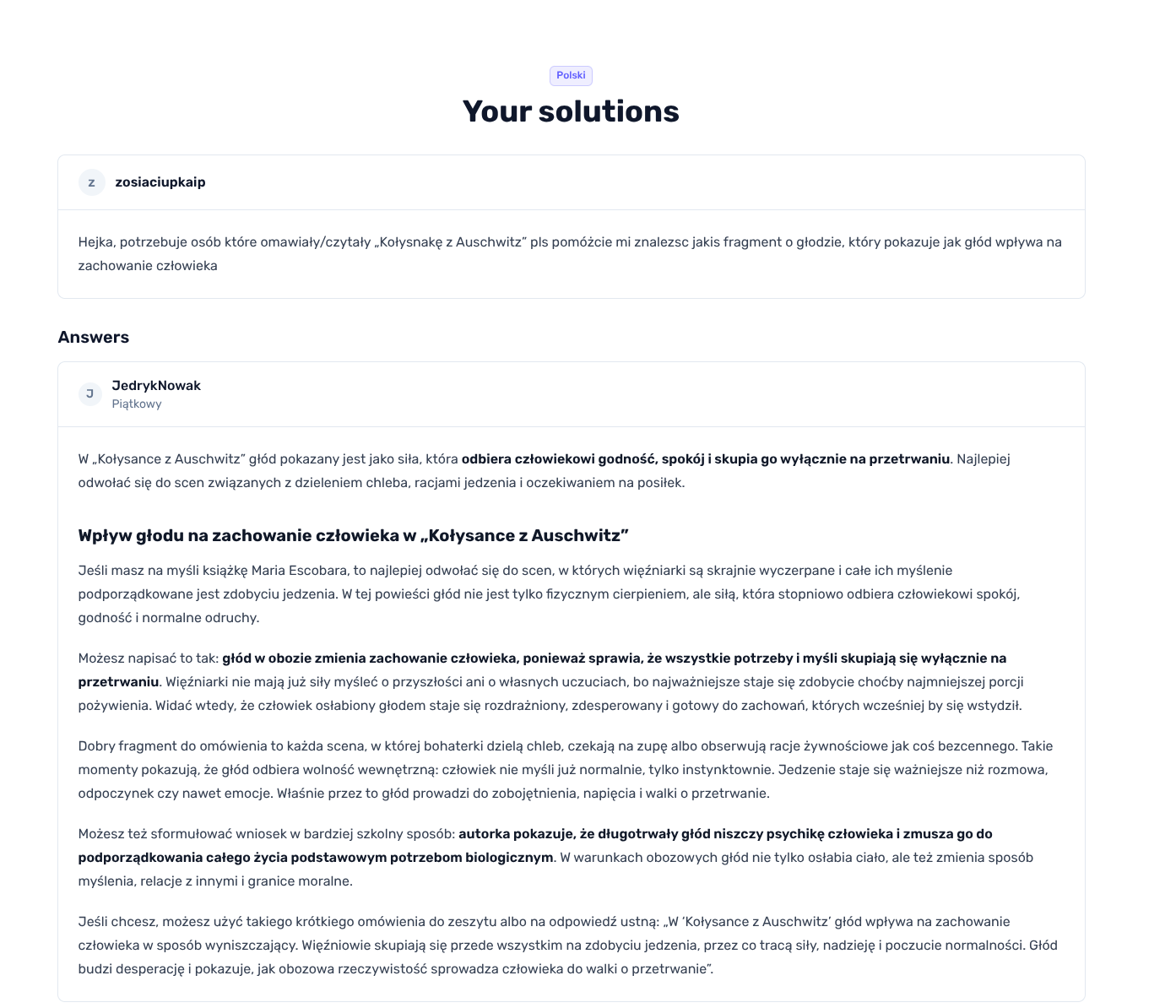
Example of a Brainly solution after Quizit unlocks the answer.
You read the solution on Quizit and can go back to the original Brainly tab if you still need the question context.
Tip: If the page looks empty, refresh once or paste the link again. A broken or incomplete URL is the usual cause.
Supported domains
These Brainly network domains work. Copy a question link from any of them:
- https://brainly.pl
- https://brainly.com/
- https://znanija.com
- https://brainly.lat
- https://brainly.com.br
- https://eodev.com
- https://brainly.ro
- https://brainly.co.id
- https://brainly.in
- https://brainly.ph
The path after the domain should point at a specific question, not the Brainly homepage.
Troubleshooting
- Confirm the URL is a question page on a supported domain
- Retry once if Brainly or Quizit was slow to respond
- If it still fails, contact support
Contact: quizit.online/contact.
Important: Include the Brainly question URL when you write to support.
Related guides
More guides on the same topic.
- Account
How to Paste Scripts in the Browser Console
Use this guide when a support page or tool asks you to run a short JavaScript snippet in your browser console. The console is part of the browser developer tools.
2 min read - Extension
How to install a Quizit extension from a ZIP file
Here is a step-by-step guide on how to install a Quizit extension on google chrome from a downloaded ZIP file. For Chrome to read the files correctly, the installation must be done in Developer mode.
1 min read - PremiumAccount
How to Cancel Your Subscription
Cancel your Quizit.online paid plan from account settings. Your access stays active until the end of the current billing period.
2 min read